The gateway to your servers.
Portico is a local-first, fast, keyboard-first SSH session manager. One Rust engine, two interfaces: a TUI and a GUI. Your ~/.ssh/config stays the source of truth.
Your setup is the source of truth.
Portico reads ~/.ssh/config, known_hosts, ssh-agent and your keys. It never rewrites your configuration: its own metadata (tags, favourites, groups) lives alongside, in readable TOML. No account, no forced sync, no lock-in.
-
Zero lock-in
Data in readable, versionable TOML. Delete Portico and your SSH setup has not moved.
-
Keyboard-first
Every action has a shortcut. The ⌘K palette exposes everything; the mouse is never required.
-
Performance
The TUI is usable in under 100 ms from cold. No redraw when nothing changes.
-
OpenSSH semantics
Include, Match, ProxyJump, tokens, authentication order: exactly what OpenSSH does.
0 accounts, cloud or telemetry. Everything works offline.
7 MB of memory at rest for the TUI, with a terminal open.
0.5 s to print 500,000 lines in the TUI terminal.
140 + tests, including an in-process SSH server and real OpenSSH interop.
One engine. Two interfaces.
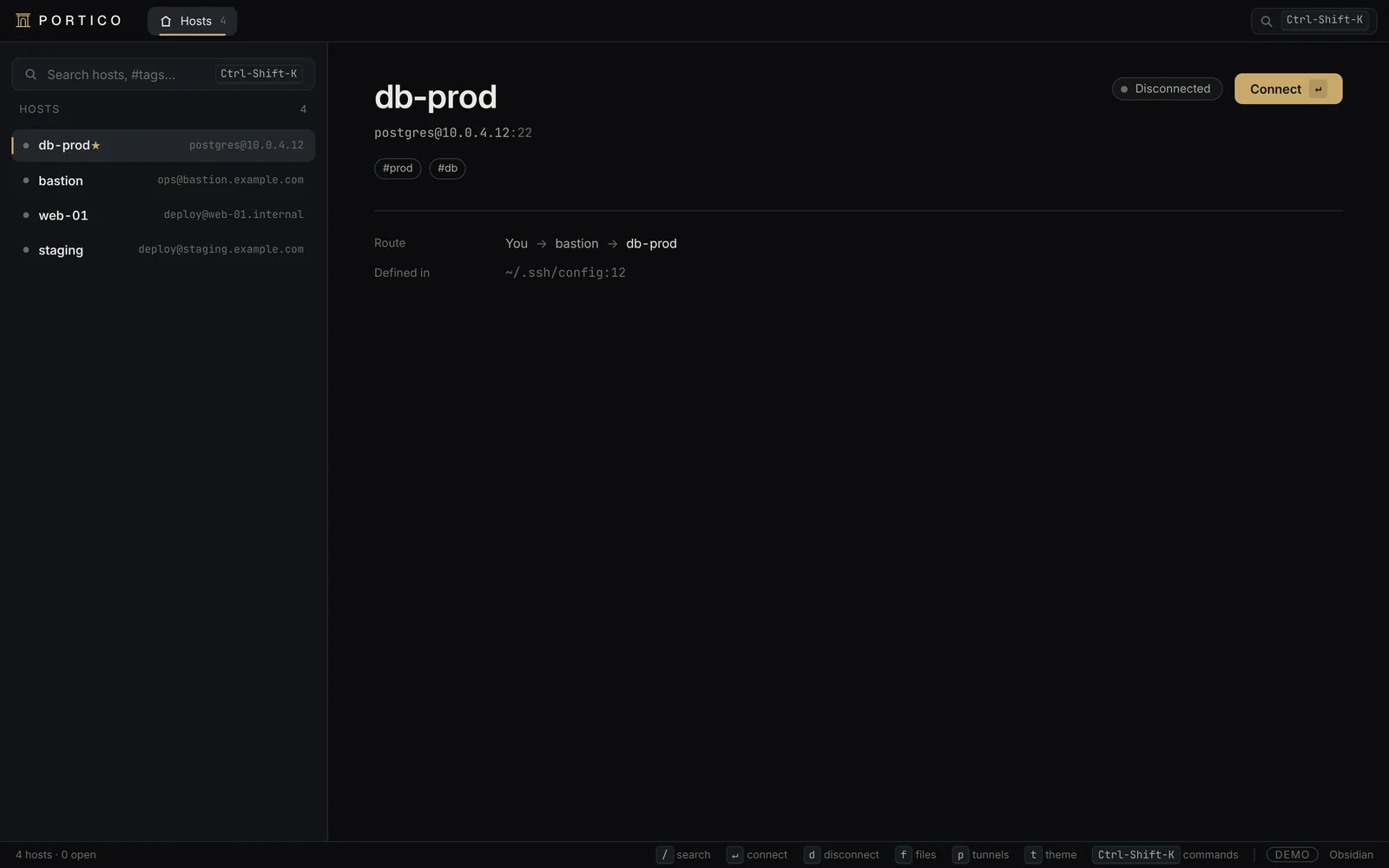
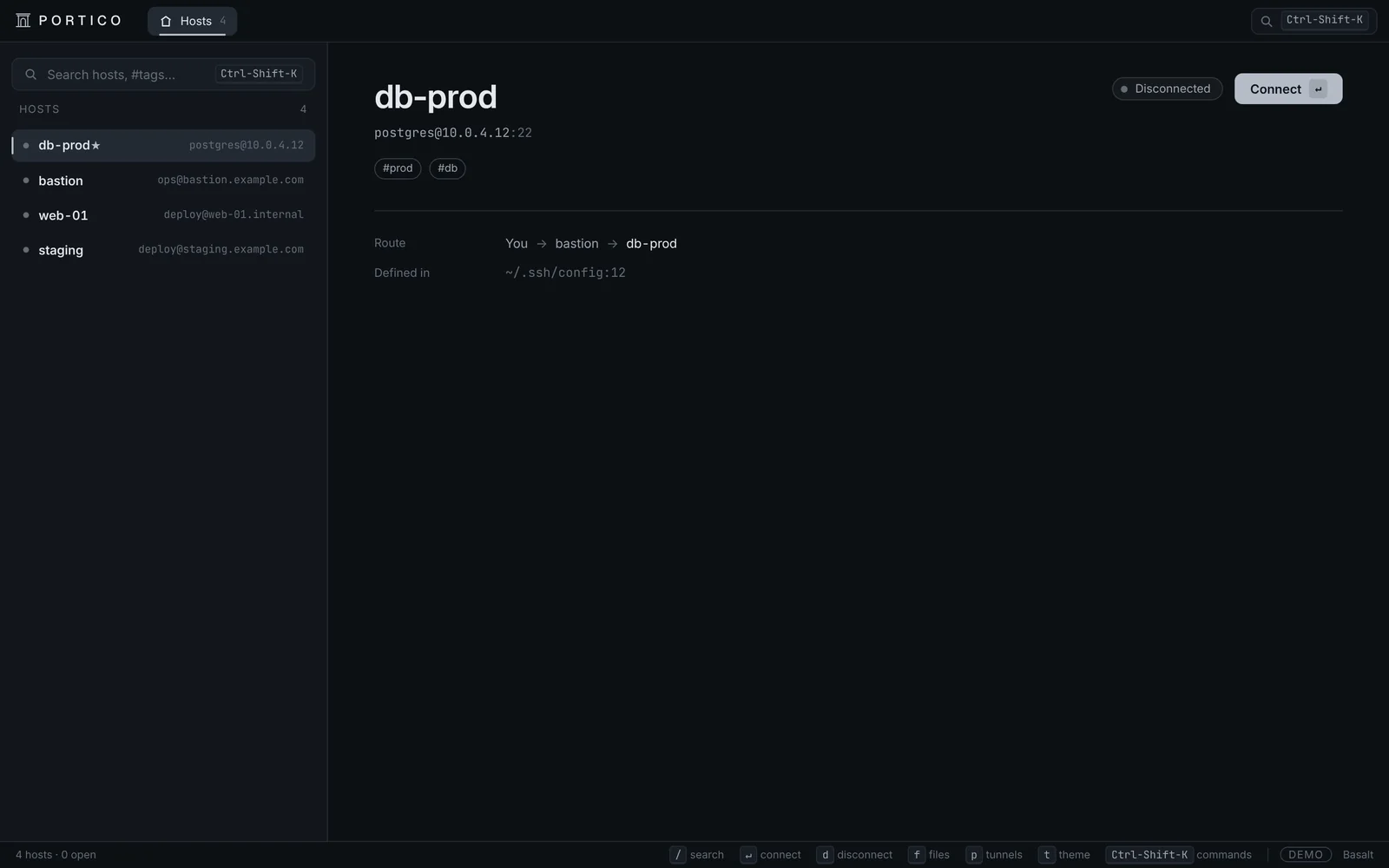
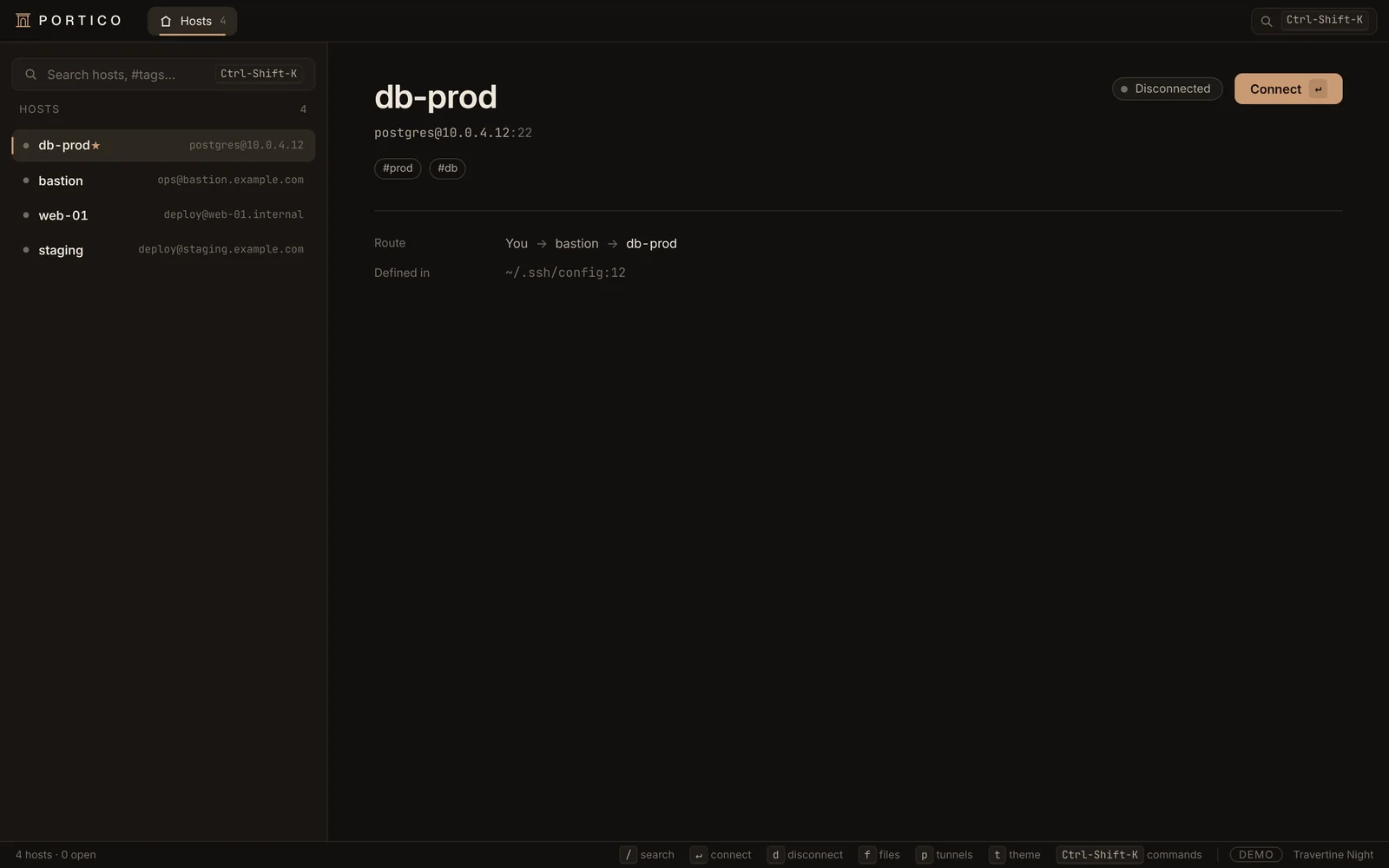
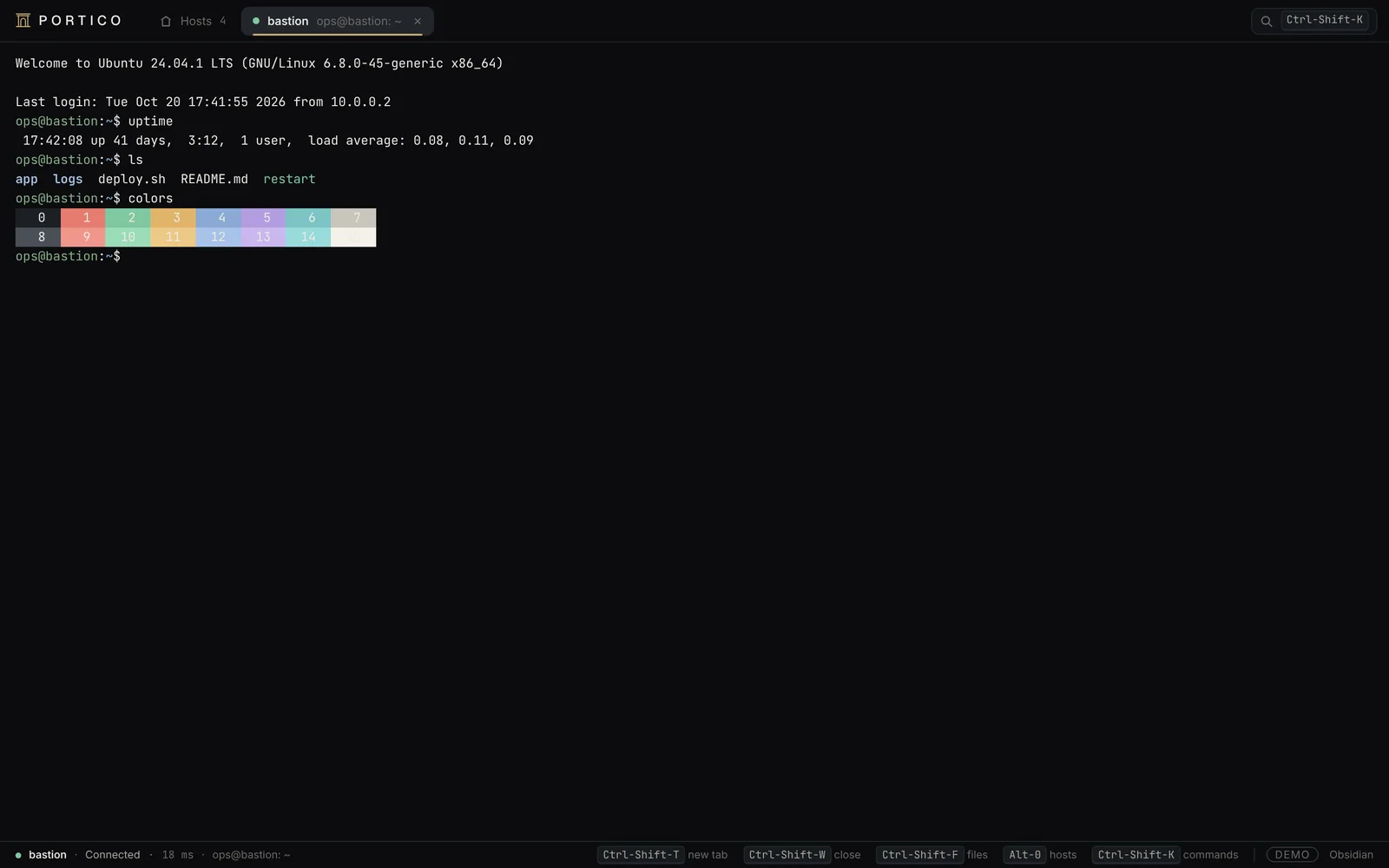
portico-core does all the work: sessions, authentication, SFTP, tunnels. The TUI lives in your terminal, the GUI in a native window. Same engine, same shortcuts, same themes.
 ╭┴┴╮ PORTICO  │▍Hosts 9                                                           Obsidian
 ╭──────────────────────────────────────╮ ╭───────────────────────────────────────────────╮
 │ ⌕ Search hosts   /                   │ │                                               │
 ╰──────────────────────────────────────╯ │  db-prod                                      │
 ╭ Hosts ───────────────────────────────╮ │  postgres@10.0.4.12:22                        │
 │ ▍● db-prod ★  postgres@10.0.4.12 #pro│ │                                               │
 │  ● bastion  ops@bastion.example.com #│ │  ● Disconnected                               │
 │  ● web-01  deploy@web-01.internal #pr│ │                                               │
 │  ● staging  deploy@staging.example.co│ │   ↵  connect                                  │
 │  ● nas ★  admin@nas.home.arpa #home  │ │                                               │
 │  ● api-01  deploy@api-01.internal #pr│ │  Jump          bastion → db-prod              │
 │  ● gitlab-runner  gitlab-runner@runne│ │  Forward -L    5432 localhost:5432            │
 │  ● raspberry  pi@192.168.1.42 #home #│ │  Tags          #prod #db                      │
 │  ● homelab-k3s  ubuntu@192.168.1.60 #│ │  Defined in    ~/.ssh/config:12               │
 │                                      │ │                                               │
 │                                      │ │                                               │
 │                                      │ │                                               │
 │                                      │ │                                               │
 │                                      │ │                                               │
 │                                      │ │                                               │
 │                                      │ │                                               │
 │                                      │ │                                               │
 │                                      │ │                                               │
 │                                      │ │                                               │
 ╰──────────────────────────────────────╯ ╰───────────────────────────────────────────────╯
  HOSTS   ↵ connect   / search   d disconnect   t theme   ? help
Try it: j / k to move, ↵ to connect, / to search, t for the theme.
- ratatui 0.30 · crossterm
- alacritty_terminal · 10,000 lines
- Ctrl-Space prefix, tmux-style
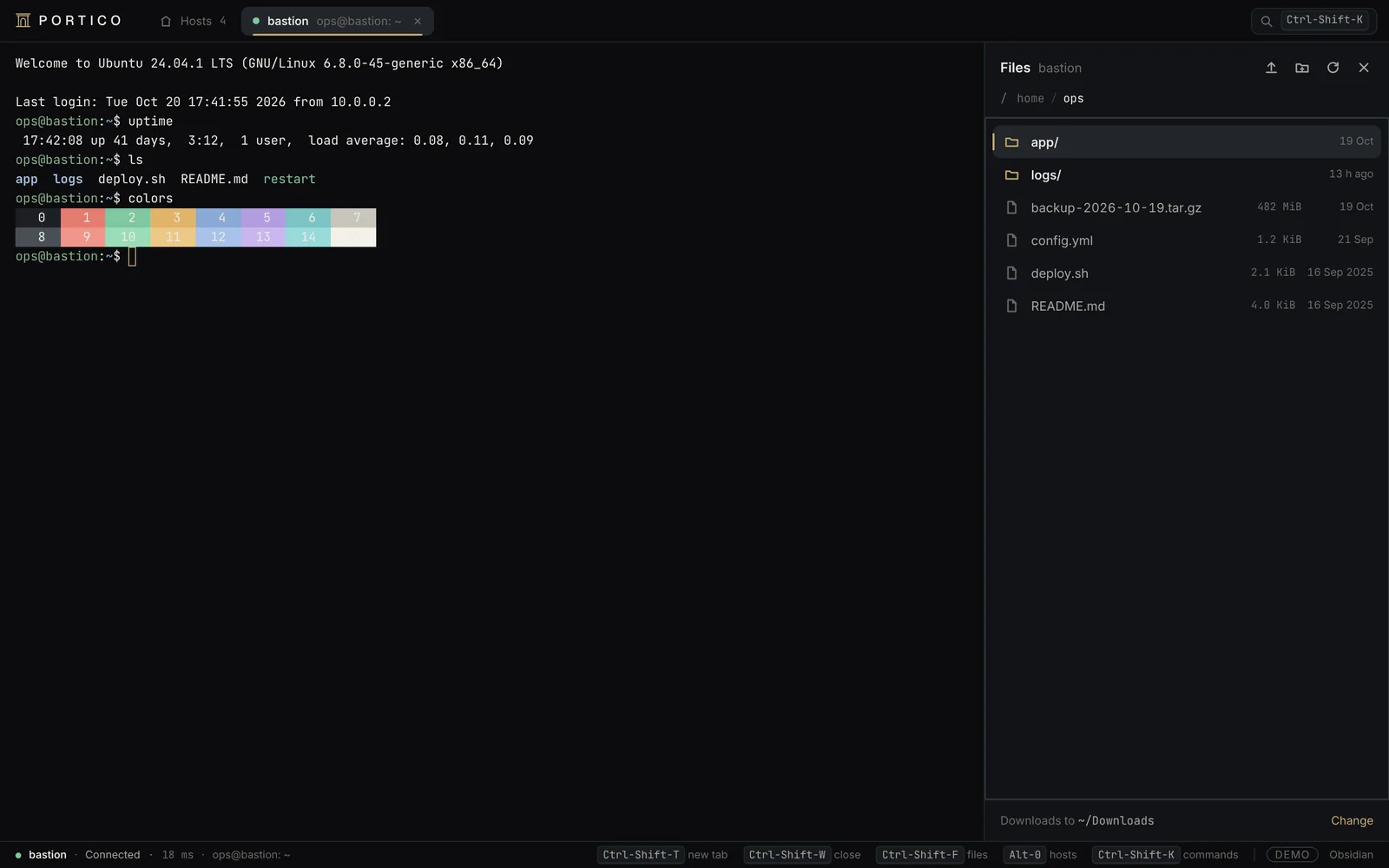
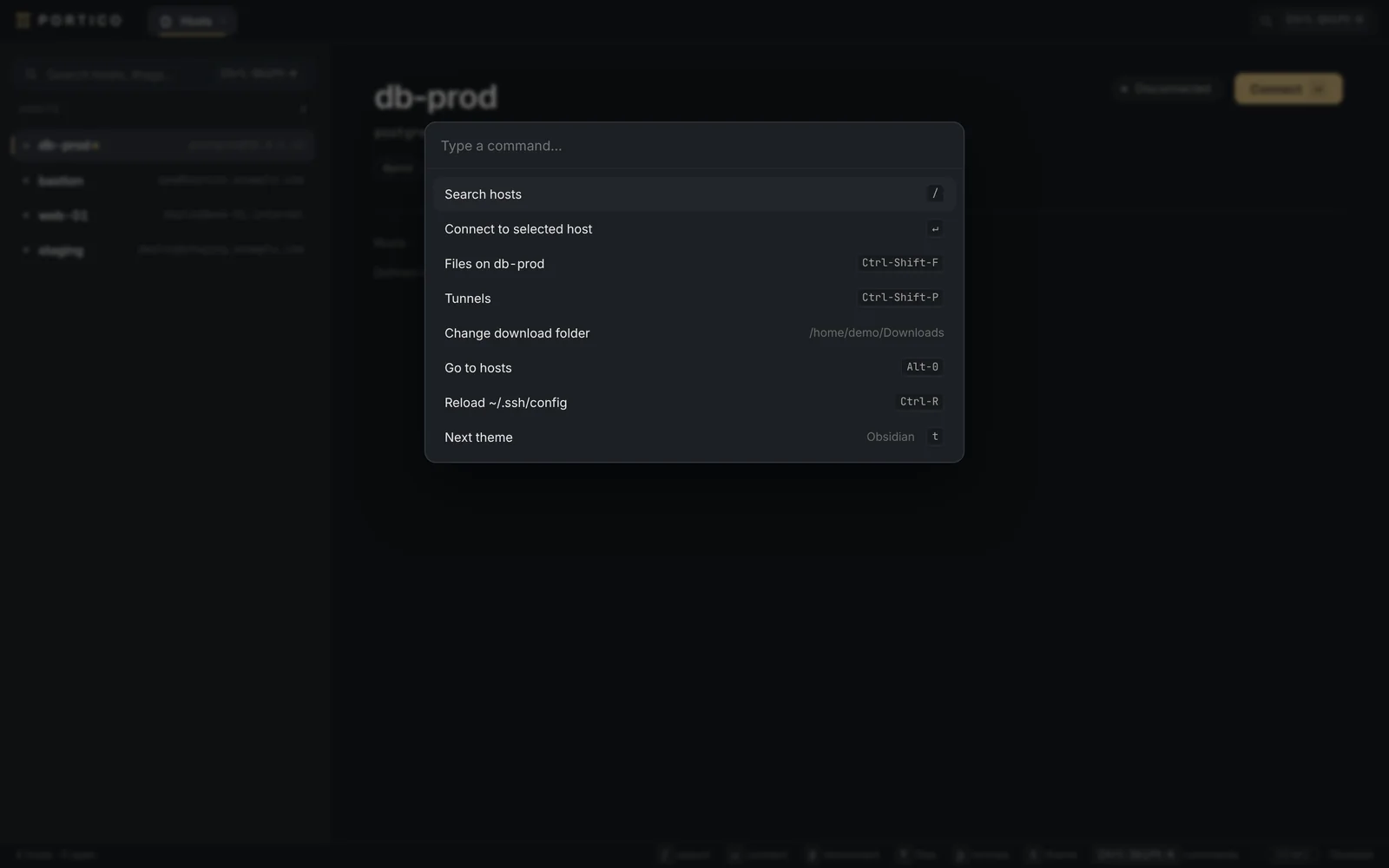
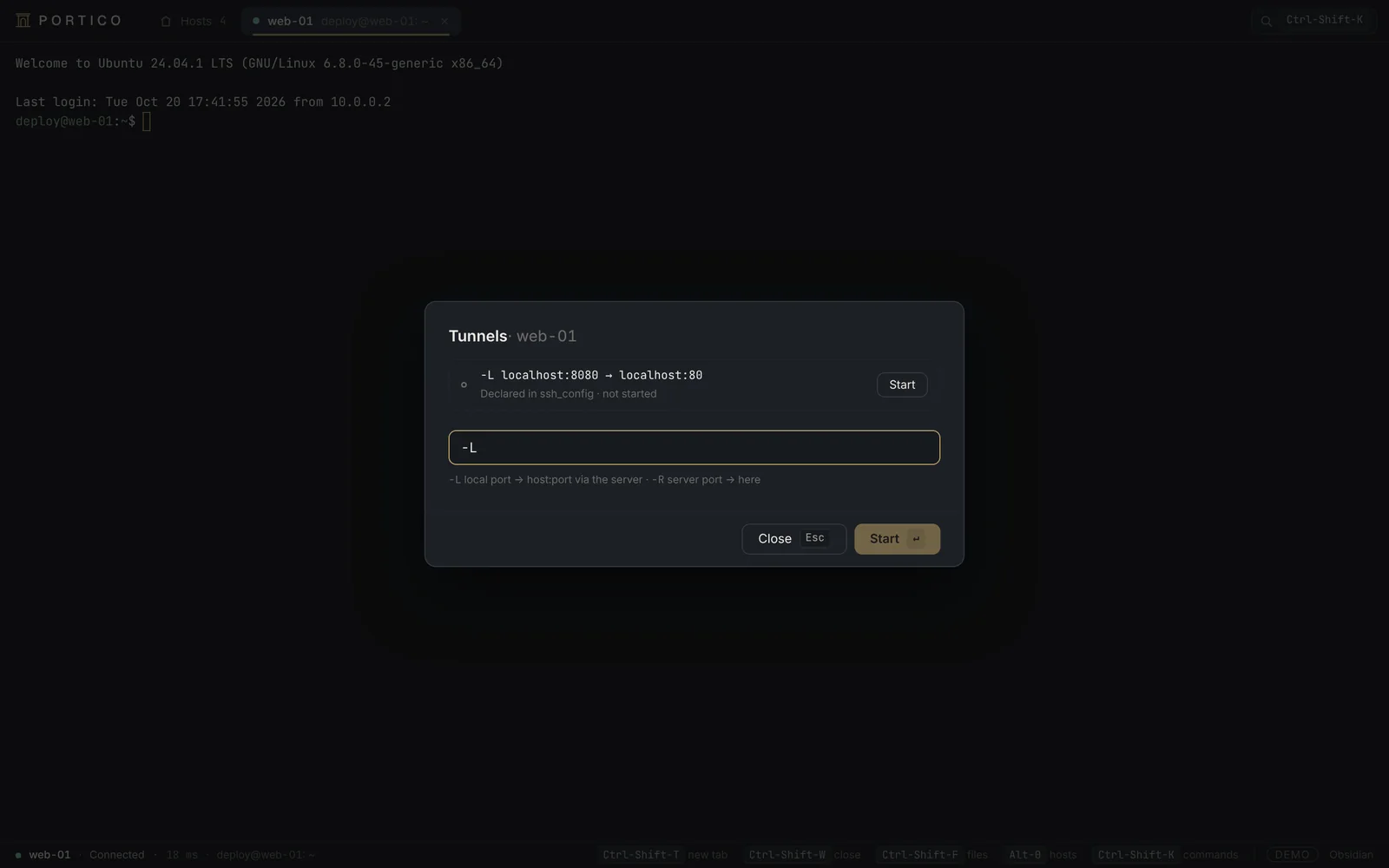
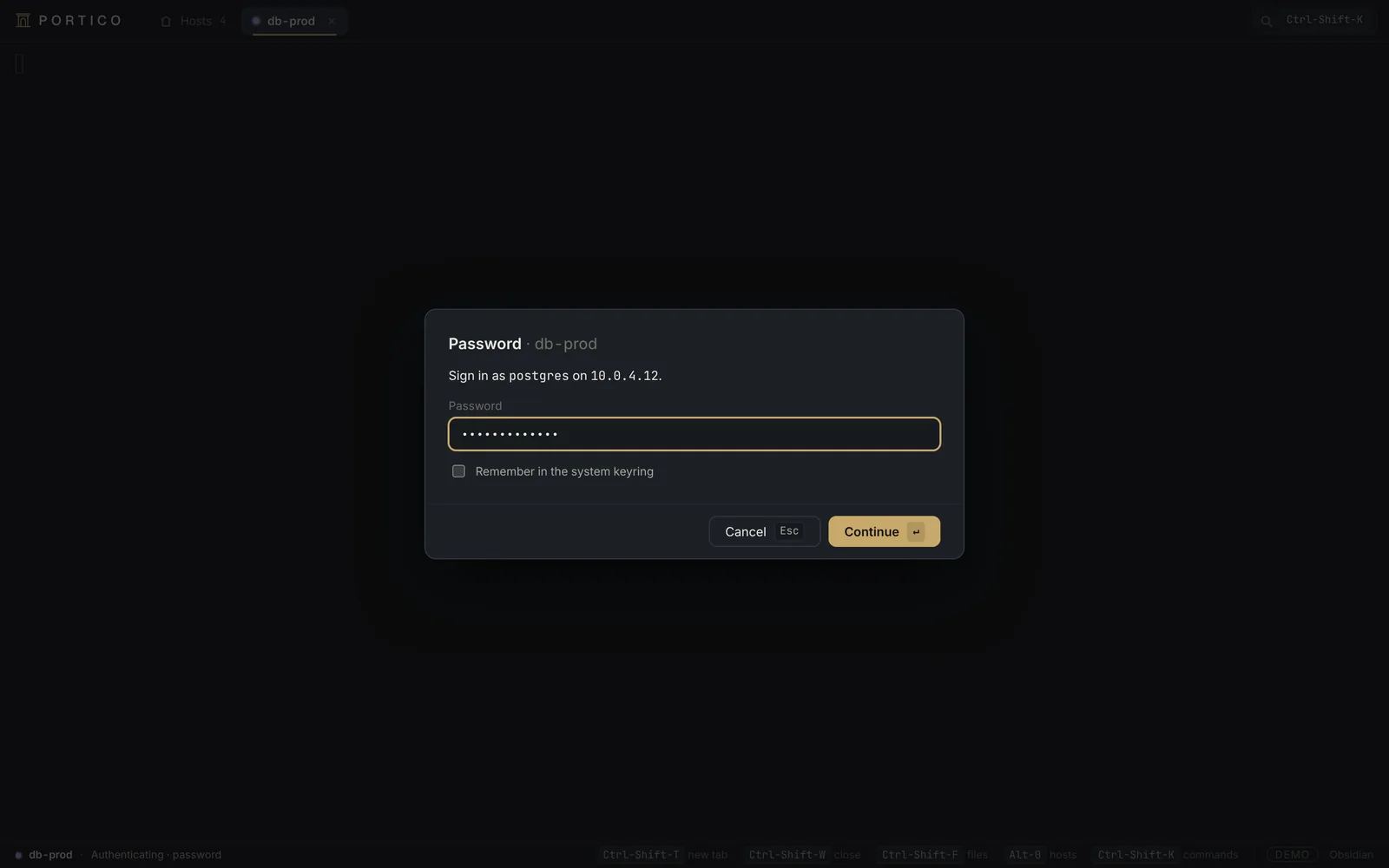
- Tauri 2 · thin Rust layer
- Svelte 5 · xterm.js 6 WebGL
- ⌘K, every action
Three dark themes
This site runs on portico-theme tokens: switch theme and the whole page follows.
The MVP, line by line.
Fourteen features, shipped in phases. Each phase closes with three reviews: security, SSH protocols and design.
- Shipped 08
- In progress 02
- Planned 04
-
~/.ssh/config parsing Shipped
Host, Match, Include, wildcards, inheritance, tokens and ProxyJump, with OpenSSH first-wins semantics. Custom parser, fully tested.
-
Fuzzy search, tags and favourites Shipped
nucleo matcher (from Helix), smart-case. #tag filters by tag, * by favourite.
-
Interactive SSH sessions Shipped
xterm-256color PTY, tabs, live resize, vim and htop work. Recursive ProxyJump, up to 8 hops.
-
SFTP browser and transfers Shipped
Midnight Commander-style dual panes in the TUI, list and drag-and-drop in the GUI. Progress, cancel, conflict handling.
-
Local and remote port forwarding Shipped
-L and -R, bound to localhost by default. Forwards from ssh_config are offered, never started on their own.
-
Strict known_hosts Shipped
Hashed entries, @cert-authority, @revoked. A changed host key always means a hard refusal.
-
Connection status and latency Shipped
connecting → authenticating → connected, with RTT measured through keepalive@openssh.com. Errors come with an actionable hint.
-
Three themes, documented shortcuts Shipped
Obsidian, Basalt, Travertine Night. Contrast tested: primary text AAA, secondary AA.
-
Keys, agent and SSH certificates In progress
Key and certificate discovery shipped. Agent management and certificate expiry warnings come in phase 3.
-
Secrets in the keyring In progress
macOS Keychain and Linux Secret Service already in use. Encrypted fallback vault (Argon2id, XChaCha20-Poly1305) in phase 3.
-
Key generation Planned
ed25519 by default, RSA 3072+ and ECDSA, with a passphrase. Refuses to overwrite an existing key.
-
Public key copy Planned
The ssh-copy-id equivalent, idempotent, verified by reconnecting with the key.
-
Snippets Planned
Global, per host or per tag, with placeholders. Run in the active tab from the palette.
-
Recent sessions and debug panel Planned
History, editable favourites, per-session connection logs and an “effective config” view à la ssh -G.
Event-driven, end to end.
The engine publishes events on a control plane. Terminal bytes travel on dedicated, bounded channels. A slow UI never slows a session down.
 ┌─ portico-tui ───────────┐          ┌─ portico-gui ───────────┐
 │ ratatui · alacritty     │          │ Tauri 2 · Svelte 5      │
 └──┬─────────▲────────▲───┘          └──┬─────────▲────────▲───┘
    │ cmd     │ events │ bytes           │ cmd     │ events │ bytes
 ┌──▼─────────┴────────┴─────────────────▼─────────┴────────┴───┐
 │  portico-core                                                │
 │                                                              │
 │  Engine ──────── broadcast<EngineEvent> ──────────────▶      │
 │    │                                                         │
 │    ├─ session · actor ── russh::Handle                       │
 │    │    ├─ pty    ◀══ mpsc ×2, bounded ══▶  terminal         │
 │    │    ├─ sftp                                              │
 │    │    └─ -L / -R                                           │
 │    │                                                         │
 │    └─ prompt · oneshot<PromptId>  ◀── respond()              │
 └──────────────────────────────────────────────────────────────┘
No secret in clear text. Ever.
Secure by design, checked by an audit agent at the end of every phase: every critical and high finding was fixed before moving on.
-
System keyring
Passwords and passphrases in Keychain or Secret Service, bound to the host’s verified identity.
-
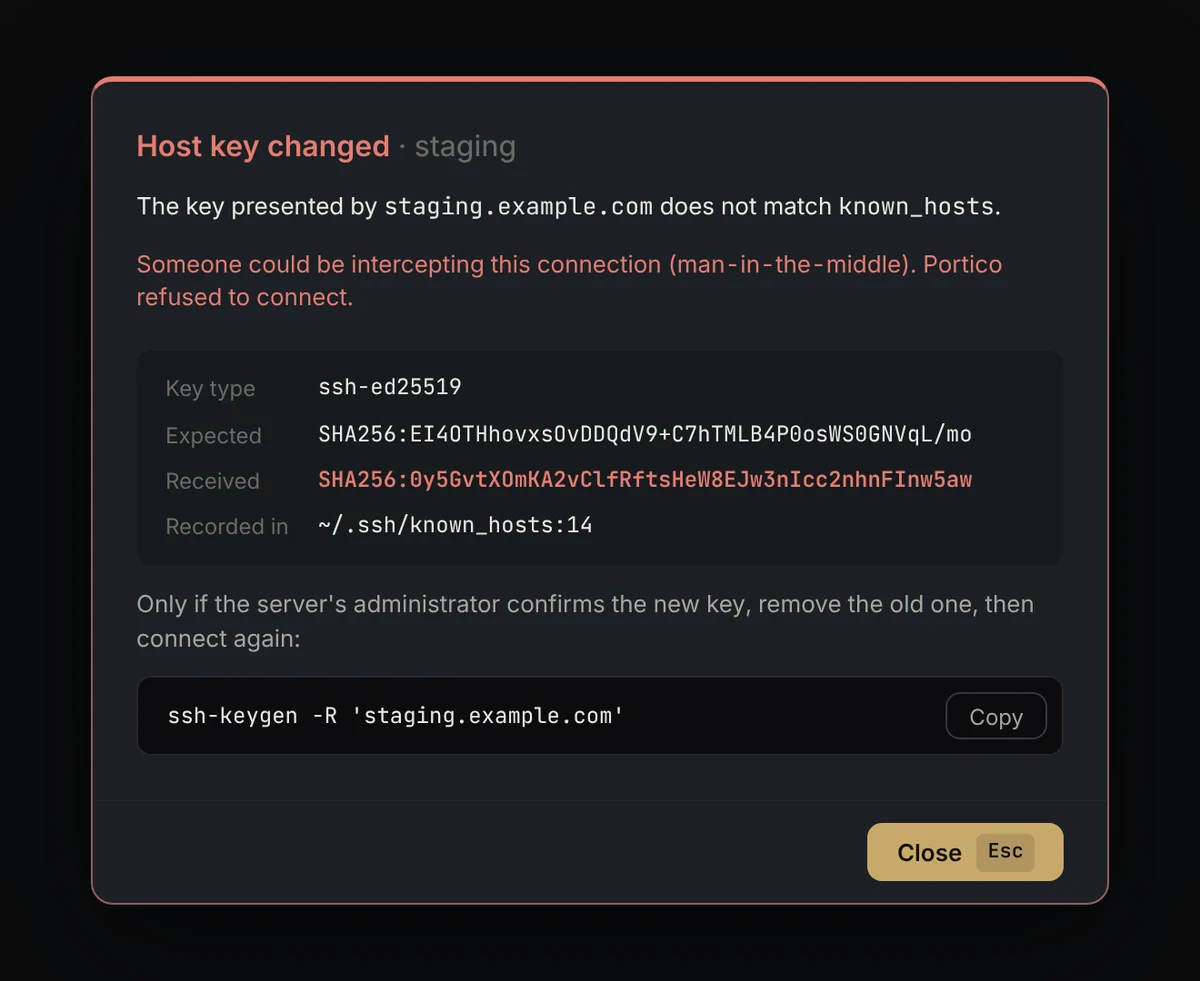
Changed key = refusal
Even with StrictHostKeyChecking no. No “accept” button: the exact ssh-keygen -R command is shown.
-
No SHA-1
ssh-rsa removed from host key algorithms. aws-lc-rs crypto backend, no libssh2 in C.
-
Sanitised paste
ESC and C1 controls stripped before reaching the terminal. A paste never answers a host key dialog.
-
Clean logs
No secret and no terminal content in logs or events. Debug output is redacted.
-
Strict Rust
forbid(unsafe_code), zero unwrap outside tests, clippy pedantic with no warning.
Hands stay on the keys.
One grammar for the TUI and the GUI. Press the keys: the shortcuts light up.
Hosts
- j k Move down / up
- / Fuzzy search, #tag, *
- ↵ Connect
- d Disconnect
- f Files (SFTP)
- p Tunnels
- t Switch theme
- ? Help
Terminal · TUI
- Ctrl Space Command prefix
- ␣ n New tab, same host
- ␣ w Close tab
- ␣ 1…9 Go to tab n
- ⇧ PgUp Scrollback
GUI · ⌘ / Ctrl-Shift
- ⌘ K Command palette
- ⌘ T New tab
- ⌘ W Close tab
- ⌘ ⇧ F Files beside the terminal
- ⌘ 1…9 Tab n
Tip: the t key switches this site’s theme, just like in Portico.
All shortcutsShipped in phases, checked at every step.
-
Phase 00
ShippedFoundations
Workspace, strict lints, ssh_config parser, inventory, themes, TUI and GUI shells.
-
Phase 01
ShippedInteractive sessions
Transport, known_hosts, OpenSSH-order auth, ProxyJump, PTY and terminals in both UIs.
-
Phase 02
ShippedSFTP and tunnels
File browsers, streamed transfers, -L and -R forwarding, Tunnels panel.
-
Phase 03
In progressKeys, secrets, snippets
Generation, copy-id, agent, encrypted fallback vault, snippets with placeholders.
-
Phase 04
PlannedMVP polish
Recents, favourites, debug panel, configurable shortcuts, .dmg, .deb and AppImage packages.
After that
- SOCKS5 (-D)
- Split panes
- asciicast recording
- Optional local sync
- Windows
- Mosh
- Termius import
Build it tonight.
Portico is under active development. Until the signed packages of phase 4, build it from source with Rust 1.90+.
-
git clone https://github.com/fs0ciety7000/Portico && cd Portico -
cargo run --release -p portico-tui -
cd apps/portico-gui && pnpm install && pnpm tauri dev
Linux: the GUI needs libwebkit2gtk-4.1-dev. Licensed MIT OR Apache-2.0.
Before you start.
Does Portico modify my ~/.ssh/config?
No, never. Portico reads it. Its own metadata lives in hosts.toml. The only writes to ~/.ssh are known_hosts additions after you agree, and keys you ask it to generate.
Do I need an account or an Internet connection?
No. No account, no remote service, no telemetry. Portico works entirely offline.
Why both a TUI and a GUI?
Because some people live in tmux and others in windows. The engine is the same: identical behaviour, security and shortcuts.
What about Windows?
macOS and Linux first. Windows is on the post-MVP roadmap.
How does Portico compare to Termius?
Portico is open, local and subscription-free. It respects your OpenSSH configuration instead of replacing it, and a Termius import is planned after the MVP.
What is the licence?
MIT OR Apache-2.0, at your option.